헤로쿠(heroku) 가입부터 node.js 배포까지
2021-01-13 20:01
오늘은 헤로쿠 가입부터 node.js 배포까지 진행해보도록 하겠습니다. 간단하게 서비스를 띄울 무료 PaaS 서비스를 찾는다면 무조건 헤로쿠겠죠.
1. PaaS 서비스의 대표주자 헤로쿠(Heroku)
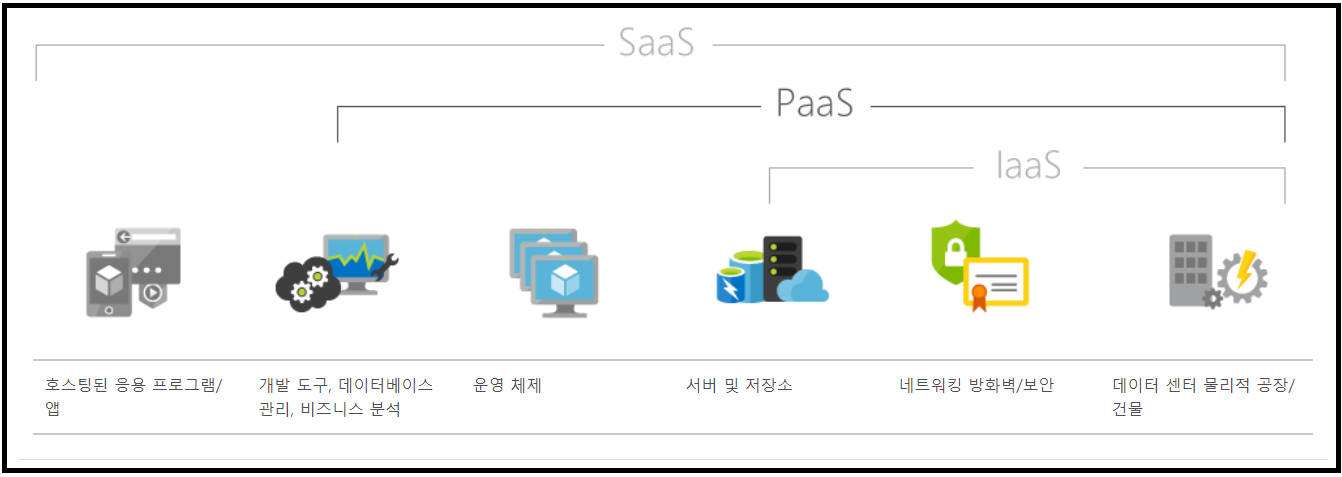
헤로쿠라는 사이트가 있습니다. 이 글을 검색하셨다면 헤로쿠가 무엇인지는 대충 아실 겁니다. 헤로쿠는 내가 가진 어플리케이션을 배포하면 바로 온 사이트로 서비스를 해주는 대표적인 *PaaS 서비스입니다.

*PasS ( Platform as a Service) : 클라우드에서 제공되는 완전한 개발 및 배포 환경이라고 생각하면 됩니다. 개발적으로는 서버, 저장소, 네트워킹, 미들웨어, 개발도구, BI, 서비스, 데이터베이스 , 빌드, 테스트, 배포, 관리, 업데이트 등 모든 어플리케이션 수명 주기를 지원하는 서비스입니다. 말 그대로 개발 플랫폼이라고 해야할까요.
일단 시작해볼가요.
1. 헤로쿠(heroku) 가입
1.1 먼저 공식 홈페이지에 접속해줍니다.
Cloud Application Platform | Heroku
Heroku is a platform as a service (PaaS) that enables developers to build, run, and operate applications entirely in the cloud.
www.heroku.com
1.2 Sign up 으로 회원 가입

1.3 회원가입에 필요한 정보들을 적어줍니다.

여기서 적은 이메일로 이메일 인증이 필요합니다. 전부 성심성의 껏 적어준 뒤 ‘Create Free Account’를 눌러줍니다. 당연히 I’m Not a robot 도 체크해줍시다.
1.4 이메일 인증을 합시다.
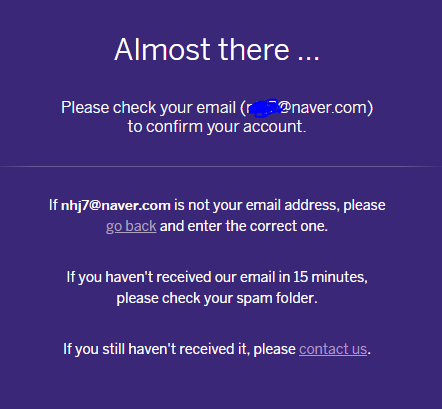
만일, 메일함에 없다면 스팸함을 뒤져보면 나올것입니다.
이메일 인증 링크 클릭!
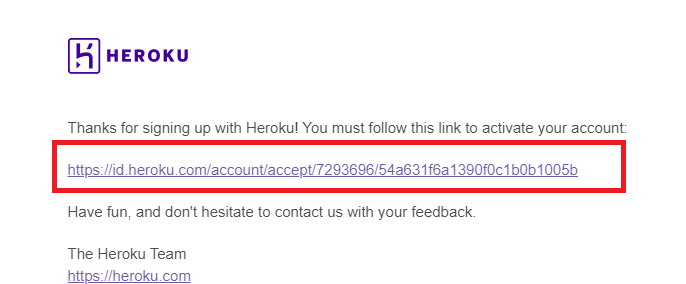
이메일에 온 인증 링크를 누릅니다.
새 패스워드 입력!
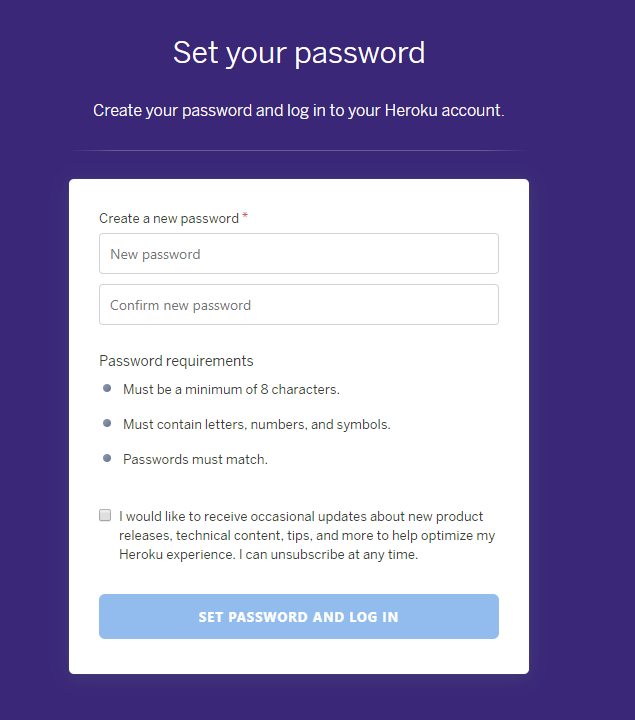
이메일 인증을 마치고 나면 새 패스워드를 설정할 수 있는 화면으로 이동할 수 있습니다. 새 패스워드를 입력하고 나면 바로 로그인을 할수 있는데요.
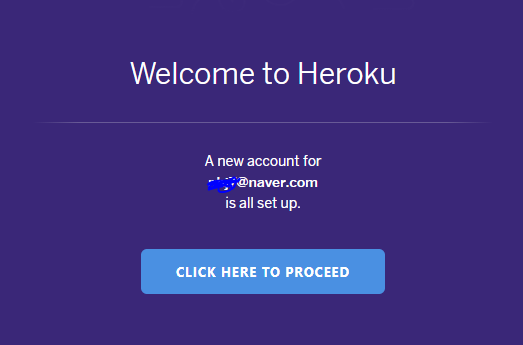
2. 헤로쿠 앱을 만들어봅시다.
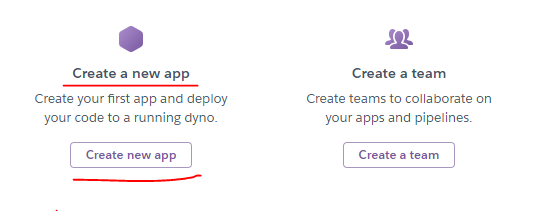
nhj-node-test 로 만들어볼게요. 왠만한 이름들은 다 중복에 걸려서 만들어지지가 않네요. 여기서 만드는 app 이름이 바로 내 서비스 주소가 됩니다.
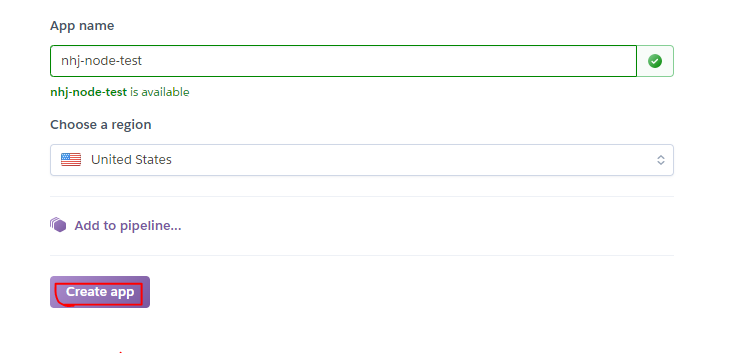
Choose a region은 United States로 해야 무료가 가능할거에요. 아마…
이제 소스를 어떻게 넣을거냐고 물어보는데요. Heroku Git - use Heroku CLI 를 선택해줍시다.
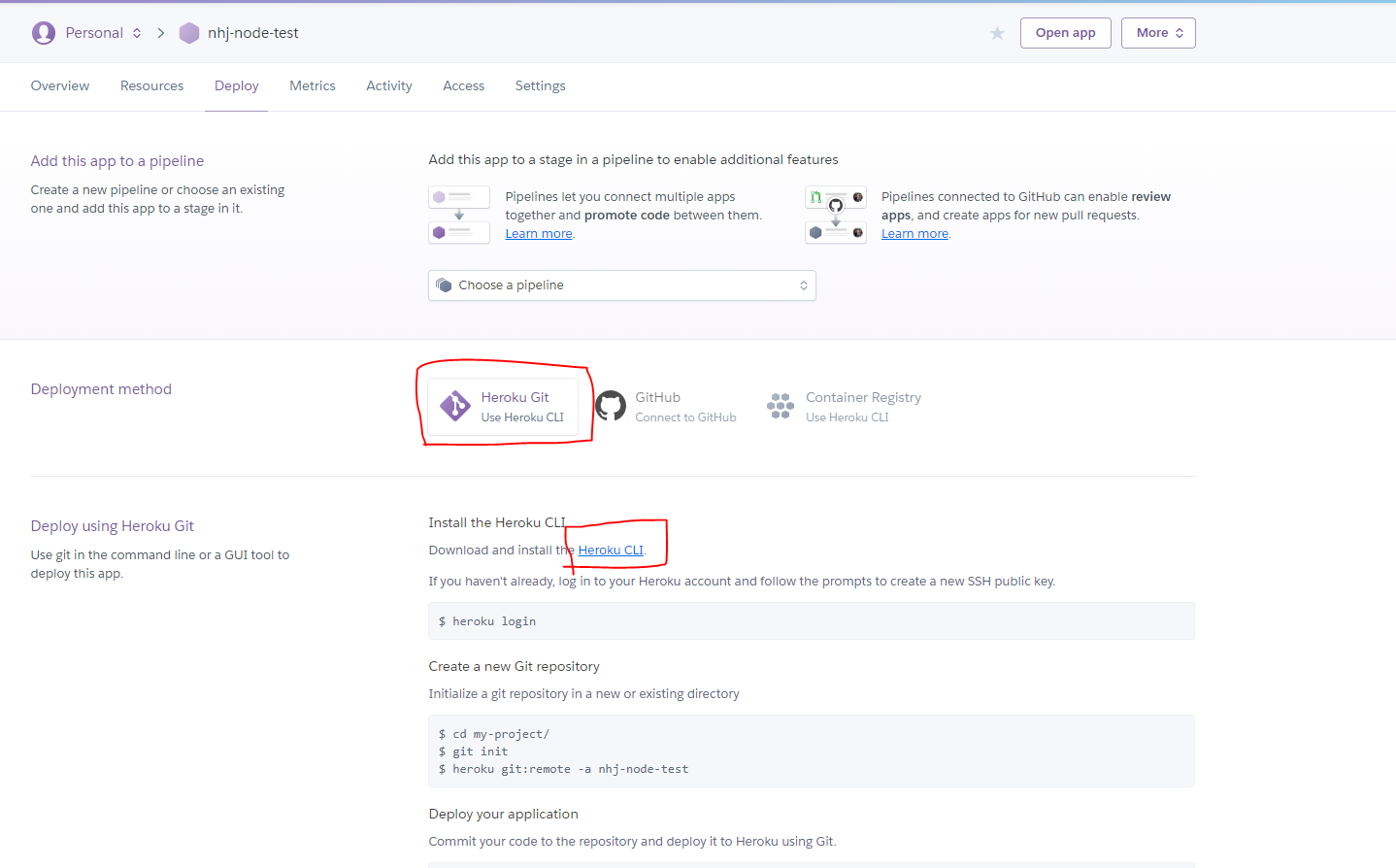
Heroku CLI를 설치해야 하니까 저기 저 링크를 통해서 설치해주도록 합시다.
여기 다운로드 링크가 있으니 맥 / 윈도우 bit에 것을 설치해주시면 될것 같고요.
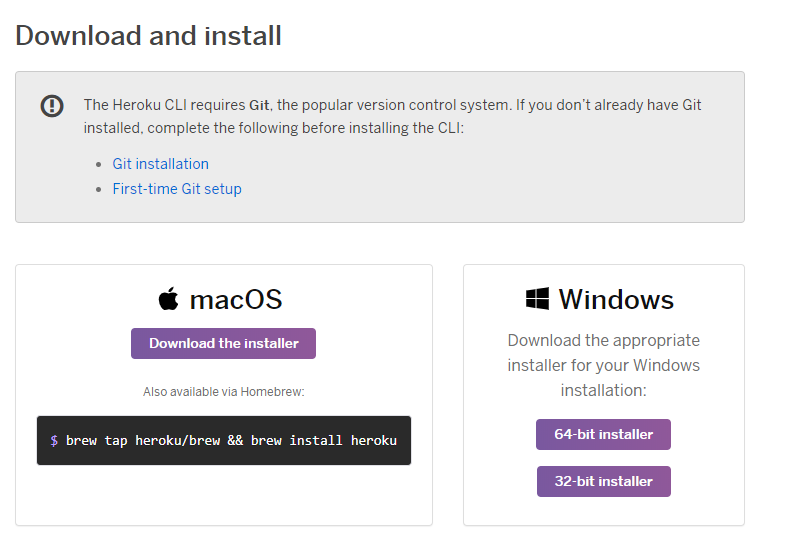
지금은 윈도우로 진행하고 있으니까 윈도우 64bit를 골랐습니다~
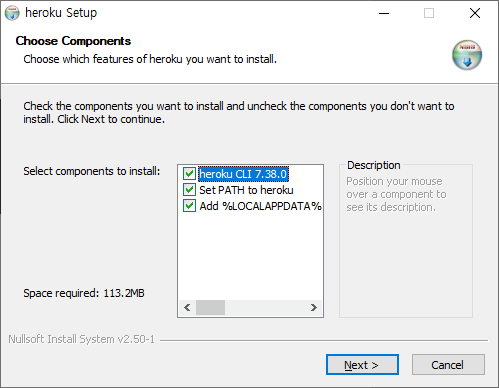
이렇게 설치하다가 실패해서
C:\Users\Administrator>npm install -g heroku
요렇게 설치했습니다. 헤로쿠 CLI는 Node.js로 빌드되어있다고 하는거보니 아무래도 저 설치 파일을 설치하다가 제 PC에 원래 설치되어있던 Node js와 쫑난 것 같습니다. 저처럼 nodejs가 원래 깔려있는 분들은 저 커맨드로 설치해줍니다.
설치가 끝나면 heroku —version 명령으로 버전 확인이 되어야 정상적으로 설치된 것입니다.
C:\Users\Administrator>heroku —version
heroku/7.38.0 win32-x64 node-v12.14.0
3. 헤로쿠(heroku) 저장소 만들기
이제 여기서 알려주는 순서대로 똑같이 작업해보도록 하겠습니다.

heroku login 이라고 입력해봅시다. 브라우저가 뜨면서 로그인 인증을 하게 되니 로그인이 됩니다.
D:\workspace\heroku\nhj-node-test>heroku login
heroku: Press any key to open up the browser to login or q to exit: Opening browser to https://cli-auth.heroku.com/auth/cli/browser/2fda2fd9-8d29-49c7-a279-a7b10bede750 Logging in... done Logged in as
***@naver.com
3.2. git init 으로 소스를 만들 경로를 git 경로로 해줍니다.
저는 heroku/nhj-node-test 경로를 만들었고 안에 아무 파일도 없는 상태입니다. 여기서 git이 설치가 안되어있으신 분들은 git 설치를 하고 오셔서 다시 이어서 진행해주심 됩니다.
D:\workspace\heroku\nhj-node-test>git init
Initialized empty Git repository in D:/workspace/heroku/nhj-node-test/.git/

D:\workspace\heroku\nhj-node-test>heroku git:remote -a nhj-node-test
set git remote heroku to https://git.heroku.com/nhj-node-test.git
3.3. node 소스가 아무것도 없으니까 node 소스 초 간단 버전인 hello world 버전을 하나 만들어보겠습니다.
npm init
npm install express —save
이렇게 해주면 package.json 이 만들어지고 express가 설치 될것인데요.
헤로쿠에서는 package.json 안에 start script를 읽어서 실행해준다고 하니 먼저 package.json을 수정해줍시다.
package.json
▼▼▼
{
  "name": "nhj-node-test",
  "version": "1.0.0",
  "description": "",
  "main": "index.js",
  "scripts": {
	"start" : "node app.js"
	, "test": "echo \"Error: no test specified\" && exit 1"
  },
  "author": "",
  "license": "ISC",
  "dependencies": {
    "express": "^4.17.1"
  }
}
“start” : “node app.js” 부분이 없는 건데 제가 추가해준 내용입니다. 에디터는 편한걸로 사용해주시면 됩니다. 아마 헤로쿠를 찾아보실 정도니 에디터에 대한 언급은 안해도 될 거라 생각합니다.
동작이 될 app.js를 만들어줍시다. 아주 간단한 버전이니까 Hello world 입니다.
const express = require('express')
const app = express();
const port = process.env.PORT || 3000;

app.get('/', (req, res) => res.send('Hello World!'))

app.listen(port, () => console.log(`Example app listening on port ${port}!`))
이렇게 만들었으면 일단 내 피씨에서 실행해서 확인해봅시다. 포트는 3000 이니까 cmd에서 node app.js로 실행한 다음 http://localhost:3000 로 접속하면
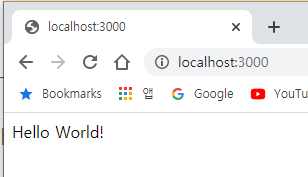
이런 몇년만에 보는 Hello World! 라는 메세지가 또 보입니다.
4. 만든 소스를 헤로쿠에 올리자.
이제 만든 소스를 헤로쿠(heroku)에 올려주시면 됩니다. 아래 git 커맨드를 그대로 실행해주면 됩니다.
git add .
git commit -m "heroku hello world"
git push heroku master

D:\workspace\heroku\nhj-node-test>git push heroku master
Enumerating objects: 397, done.
Counting objects: 100% (397/397), done.
Delta compression using up to 4 threads
Compressing objects: 100% (388/388), done.
Writing objects: 100% (397/397), 562.00 KiB | 3.90 MiB/s, done.
Total 397 (delta 73), reused 0 (delta 0)
remote: Compressing source files... done.
remote: Building source:
remote:
remote: -----> Node.js app detected
remote:
remote: -----> Creating runtime environment
remote:
remote:        NPM_CONFIG_LOGLEVEL=error
remote:        NODE_ENV=production
remote:        NODE_MODULES_CACHE=true
remote:        NODE_VERBOSE=false
remote:
remote: -----> Installing binaries
remote:        engines.node (package.json):  unspecified
remote:        engines.npm (package.json):   unspecified (use default)
remote:
remote:        Resolving node version 12.x...
remote:        Downloading and installing node 12.15.0...
remote:        Using default npm version: 6.13.4
remote:
remote: -----> Installing dependencies
remote:        Prebuild detected (node_modules already exists)
remote:        Rebuilding any native modules
remote:        express@4.17.1 /tmp/build_d63ab0d658ad44c1155cc43857935005/node_modules/express
remote:        accepts@1.3.7 /tmp/build_d63ab0d658ad44c1155cc43857935005/node_modules/accepts
remote:        mime-types@2.1.26 /tmp/build_d63ab0d658ad44c1155cc43857935005/node_modules/mime-types
remote:        mime-db@1.43.0 /tmp/build_d63ab0d658ad44c1155cc43857935005/node_modules/mime-db
remote:        negotiator@0.6.2 /tmp/build_d63ab0d658ad44c1155cc43857935005/node_modules/negotiator
remote:        array-flatten@1.1.1 /tmp/build_d63ab0d658ad44c1155cc43857935005/node_modules/array-flatten
remote:        body-parser@1.19.0 /tmp/build_d63ab0d658ad44c1155cc43857935005/node_modules/body-parser
remote:        bytes@3.1.0 /tmp/build_d63ab0d658ad44c1155cc43857935005/node_modules/bytes
remote:        content-type@1.0.4 /tmp/build_d63ab0d658ad44c1155cc43857935005/node_modules/content-type
remote:        debug@2.6.9 /tmp/build_d63ab0d658ad44c1155cc43857935005/node_modules/debug
remote:        ms@2.0.0 /tmp/build_d63ab0d658ad44c1155cc43857935005/node_modules/ms
remote:        depd@1.1.2 /tmp/build_d63ab0d658ad44c1155cc43857935005/node_modules/depd
remote:        http-errors@1.7.2 /tmp/build_d63ab0d658ad44c1155cc43857935005/node_modules/http-errors
remote:        inherits@2.0.3 /tmp/build_d63ab0d658ad44c1155cc43857935005/node_modules/inherits
remote:        setprototypeof@1.1.1 /tmp/build_d63ab0d658ad44c1155cc43857935005/node_modules/setprototypeof
remote:        statuses@1.5.0 /tmp/build_d63ab0d658ad44c1155cc43857935005/node_modules/statuses
remote:        toidentifier@1.0.0 /tmp/build_d63ab0d658ad44c1155cc43857935005/node_modules/toidentifier
remote:        iconv-lite@0.4.24 /tmp/build_d63ab0d658ad44c1155cc43857935005/node_modules/iconv-lite
remote:        safer-buffer@2.1.2 /tmp/build_d63ab0d658ad44c1155cc43857935005/node_modules/safer-buffer
remote:        on-finished@2.3.0 /tmp/build_d63ab0d658ad44c1155cc43857935005/node_modules/on-finished
remote:        ee-first@1.1.1 /tmp/build_d63ab0d658ad44c1155cc43857935005/node_modules/ee-first
remote:        qs@6.7.0 /tmp/build_d63ab0d658ad44c1155cc43857935005/node_modules/qs
remote:        raw-body@2.4.0 /tmp/build_d63ab0d658ad44c1155cc43857935005/node_modules/raw-body
remote:        unpipe@1.0.0 /tmp/build_d63ab0d658ad44c1155cc43857935005/node_modules/unpipe
remote:        type-is@1.6.18 /tmp/build_d63ab0d658ad44c1155cc43857935005/node_modules/type-is
remote:        media-typer@0.3.0 /tmp/build_d63ab0d658ad44c1155cc43857935005/node_modules/media-typer
remote:        content-disposition@0.5.3 /tmp/build_d63ab0d658ad44c1155cc43857935005/node_modules/content-disposition
remote:        safe-buffer@5.1.2 /tmp/build_d63ab0d658ad44c1155cc43857935005/node_modules/safe-buffer
remote:        cookie@0.4.0 /tmp/build_d63ab0d658ad44c1155cc43857935005/node_modules/cookie
remote:        cookie-signature@1.0.6 /tmp/build_d63ab0d658ad44c1155cc43857935005/node_modules/cookie-signature
remote:        encodeurl@1.0.2 /tmp/build_d63ab0d658ad44c1155cc43857935005/node_modules/encodeurl
remote:        escape-html@1.0.3 /tmp/build_d63ab0d658ad44c1155cc43857935005/node_modules/escape-html
remote:        etag@1.8.1 /tmp/build_d63ab0d658ad44c1155cc43857935005/node_modules/etag
remote:        finalhandler@1.1.2 /tmp/build_d63ab0d658ad44c1155cc43857935005/node_modules/finalhandler
remote:        parseurl@1.3.3 /tmp/build_d63ab0d658ad44c1155cc43857935005/node_modules/parseurl
remote:        fresh@0.5.2 /tmp/build_d63ab0d658ad44c1155cc43857935005/node_modules/fresh
remote:        merge-descriptors@1.0.1 /tmp/build_d63ab0d658ad44c1155cc43857935005/node_modules/merge-descriptors
remote:        methods@1.1.2 /tmp/build_d63ab0d658ad44c1155cc43857935005/node_modules/methods
remote:        path-to-regexp@0.1.7 /tmp/build_d63ab0d658ad44c1155cc43857935005/node_modules/path-to-regexp
remote:        proxy-addr@2.0.5 /tmp/build_d63ab0d658ad44c1155cc43857935005/node_modules/proxy-addr
remote:        forwarded@0.1.2 /tmp/build_d63ab0d658ad44c1155cc43857935005/node_modules/forwarded
remote:        ipaddr.js@1.9.0 /tmp/build_d63ab0d658ad44c1155cc43857935005/node_modules/ipaddr.js
remote:        range-parser@1.2.1 /tmp/build_d63ab0d658ad44c1155cc43857935005/node_modules/range-parser
remote:        send@0.17.1 /tmp/build_d63ab0d658ad44c1155cc43857935005/node_modules/send
remote:        destroy@1.0.4 /tmp/build_d63ab0d658ad44c1155cc43857935005/node_modules/destroy
remote:        mime@1.6.0 /tmp/build_d63ab0d658ad44c1155cc43857935005/node_modules/mime
remote:        ms@2.1.1 /tmp/build_d63ab0d658ad44c1155cc43857935005/node_modules/send/node_modules/ms
remote:        serve-static@1.14.1 /tmp/build_d63ab0d658ad44c1155cc43857935005/node_modules/serve-static
remote:        utils-merge@1.0.1 /tmp/build_d63ab0d658ad44c1155cc43857935005/node_modules/utils-merge
remote:        vary@1.1.2 /tmp/build_d63ab0d658ad44c1155cc43857935005/node_modules/vary
remote:        Installing any new modules (package.json)
remote:        audited 126 packages in 0.758s
remote:        found 0 vulnerabilities
remote:
remote:
remote: -----> Build
remote:
remote: -----> Caching build
remote:        - node_modules
remote:
remote: -----> Pruning devDependencies
remote:        audited 126 packages in 0.702s
remote:        found 0 vulnerabilities
remote:
remote:
remote: -----> Build succeeded!
remote: -----> Discovering process types
remote:        Procfile declares types     -> (none)
remote:        Default types for buildpack -> web
remote:
remote: -----> Compressing...
remote:        Done: 22.4M
remote: -----> Launching...
remote:        Released v3
remote:        https://nhj-node-test.herokuapp.com/ deployed to Heroku
remote:
remote: Verifying deploy... done.
To https://git.heroku.com/nhj-node-test.git
 * [new branch]      master -> master
머 이렇게 소스를 디플로이 했다고 메세지가 나오는데 저기 밑에서 3번째 줄에 보면 Released v3
”https://nhj-node-test.herokuapp.com/ deployed to Heroku
라는 메세지가 보입니다.
지체없이 접속해봅니다.
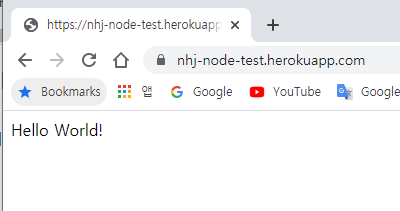
잘 됩니다. 이렇게 하는데 몇분 걸리지 않은 것 같습니다. 헤로쿠(heroku)는 간단한 기능을 구현할때 아주 좋은 PaaS 서비스인 것 같습니다. 이제 원하는 개발 툴로 소스를 추가적으로 개발해나가고 git 으로 올리기만 하면 바로바로 헤로쿠 서비스에 반영됩니다.
![[namu]](/static/e2847eb8868aee804f5bf2290309c7f5/a12fc/profile.png)